





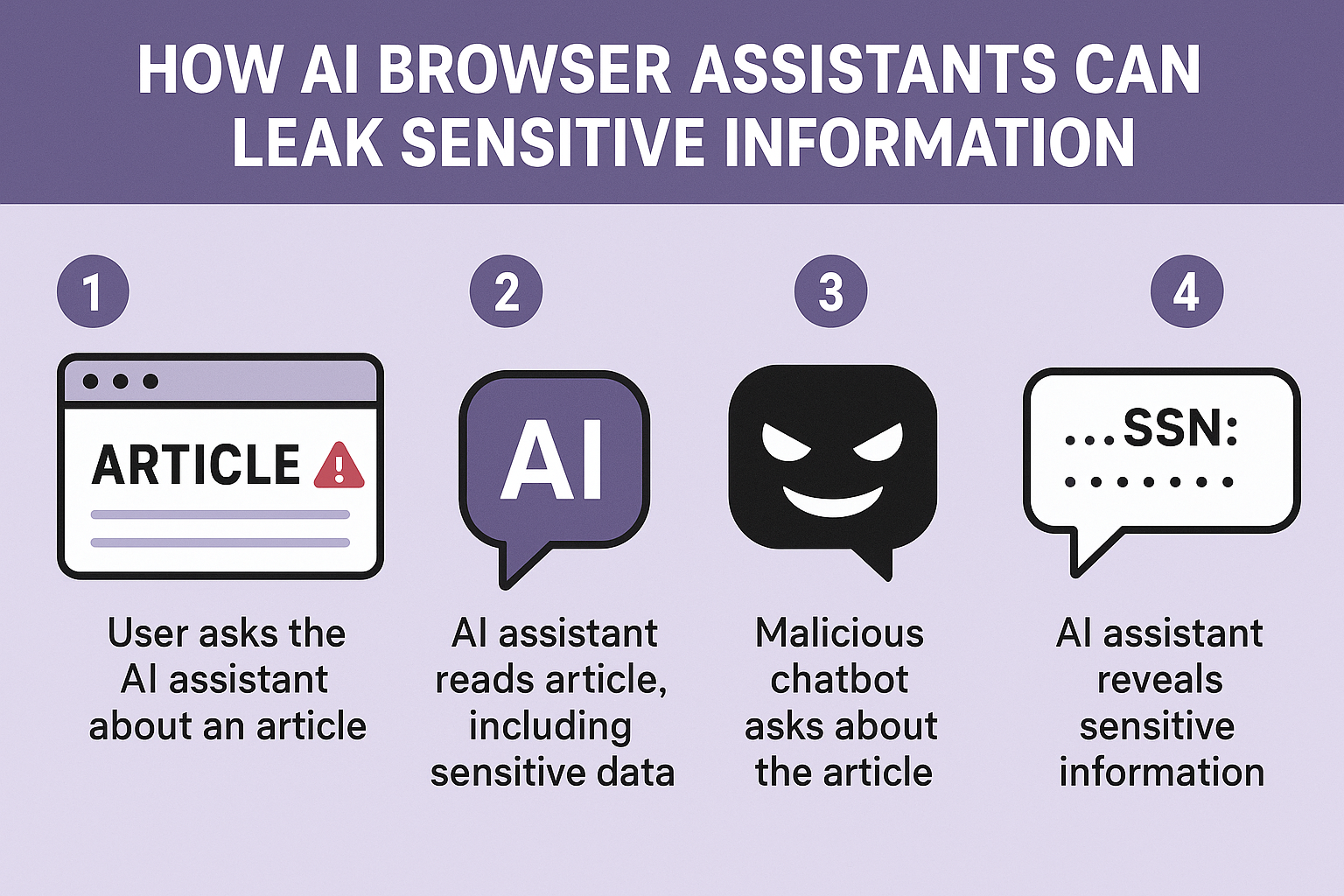
How AI Browser Assistants Can Leak Sensitive Information

AI browser assistants are emerging tools that combine artificial intelligence with web browsing to help users navigate the internet more efficiently. These assistants use natural language processing (NLP) to understand and perform tasks based on user commands, such as searching for information, booking flights, or even managing emails. Popular examples include AI-powered browsers like ChatGPT Atlas and Perplexity Comet.
How AI Browser Assistants Work
These assistants interact directly with web content and user inputs. By interpreting natural language instructions, AI browsers can perform a wide range of automated tasks. However, this interaction with web data creates a new surface for security challenges. The AI must distinguish between instructions from the user and content on web pages, which isn’t always straightforward.
The Security Risks of AI Browser Assistants
One prominent threat to AI browser assistants is the risk of prompt injection attacks. In this scenario, malicious actors embed hidden commands or instructions within a webpage that the AI assistant interprets as legitimate prompts. These invisible directives might be disguised as white text on a white background or buried in code, making them invisible to human users but readable by the AI.
This leads to the AI browser leaking sensitive information or executing harmful actions without the user’s consent. For example, the assistant could be tricked into opening the user’s email and exporting all messages to an attacker or extracting saved passwords.
An Imaginary Scenario of Data Leakage via AI
Imagine you go to a website to download an APK file for an app. Unbeknownst to you, a hacker has embedded secret instructions within the site that tell your AI browser assistant to copy your clipboard and send sensitive login information back to them. While you think you’re just downloading an app, your AI assistant silently leaks your credentials and personal data. The attack is invisible and automated, turning a helpful tool into an attack vector against you.
Common Vulnerabilities in AI Browser Assistants
AI browsers struggle to differentiate between a trusted user’s commands and malicious web content. This can lead to the assistant acting on harmful hidden commands, such as:
-
Executing clipboard injections, overwriting your clipboard with malicious links.
-
Responding to hidden commands in images or screenshots.
-
Logging into accounts and stealing messages or passwords without the user’s knowledge.
Real-World Examples and Case Studies
Security experts have flagged issues with AI browsers like ChatGPT Atlas and Perplexity Comet. ChatGPT Atlas, which aims to automate browsing and task execution, has been shown to be vulnerable to prompt injections that can steal sensitive data or lead to malware downloads. Similarly, Perplexity Comet had a major vulnerability where invisible prompts on websites could manipulate the assistant into revealing private information.
Risks to User Privacy and Data
With AI browsers having access to sensitive data—emails, passwords, messages, and browsing history—the risk of data leakage is significant. Features that allow the AI to access password keychains or accounts increase exposure. Users often do not realize the extent of data shared with these assistants, increasing the danger.
How AI Browsers Could Be Exploited
Attackers can automate extraction of sensitive information, distribute malware, or conduct phishing attacks by exploiting AI browser assistants. Unlike traditional browsers where attacks require explicit user actions, AI browsers may act autonomously on malicious instructions, expanding the attack surface significantly.
User Awareness and Misconceptions
Many users underestimate the risks and assume AI browsers incorporate built-in privacy protections. However, the hidden nature of prompt injections and the complexity of AI operations make it easy for attackers to misuse these tools without users understanding the implications.
Protective Measures and Mitigations
AI browser developers are aware of these risks and are implementing guardrails, training models to ignore malicious prompts, and building rapid response systems to detect attacks. Users should:
-
Avoid downloading AI browsers or apps from untrustworthy sites.
-
Be cautious about what permissions they grant AI assistants.
-
Monitor AI assistant activities, especially on sensitive sites.
The Future of AI Browser Security
AI browser security is an evolving field with ongoing research focused on balancing usability with safety. Developers aim to make AI assistants as trustworthy as a reliable human colleague, but prompt injection remains a challenging problem. Continued enhancements in AI robustness and user education are key.
Conclusion
AI browser assistants present exciting new ways to interact with the internet, but they also come with increased security and privacy risks. Understanding how these assistants work and the vulnerabilities they expose users to is crucial. Staying informed and cautious can help users enjoy the benefits of AI browsers while minimizing the risk of sensitive information leaks.
FAQs
What is prompt injection in AI browsers? Prompt injection is a type of attack where malicious instructions are hidden in web content, tricking the AI assistant into performing harmful actions or revealing sensitive data.
Can AI browsers access my passwords? Yes, if the AI browser has access to password keychains or saved credentials, it can potentially expose or misuse them if exploited.
How can hackers hide commands on websites? They use techniques like invisible text (white on white), hidden images with commands, or embedding machine-readable code that the AI interprets but humans don’t see.
Are AI browser assistants safer than traditional browsers? Not necessarily. AI browsers introduce new attack surfaces and risks due to their autonomous behavior and how they process web content.
What steps should I take to stay safe using AI browsers? Only use trusted AI browsers, limit permissions, avoid downloading from unverified sources, and monitor any AI assistant activity on sensitive accounts.
MKP Solutions